Demeter icon Demeter
Built for race-day decisions

AI conversation, model depth, and race analysis in one view.

Demeter is a horse racing companion that turns race cards, form clues, and model output into something fast to read. Ask questions in plain language, scan value horses in one chart, and break down a race from multiple analytical angles.

Existing shared links using ?user_id=... still work and will open the user notebook automatically.

Three core experiences

The landing page mirrors the three intro screens inside the app, so the site and the product describe the same value proposition.

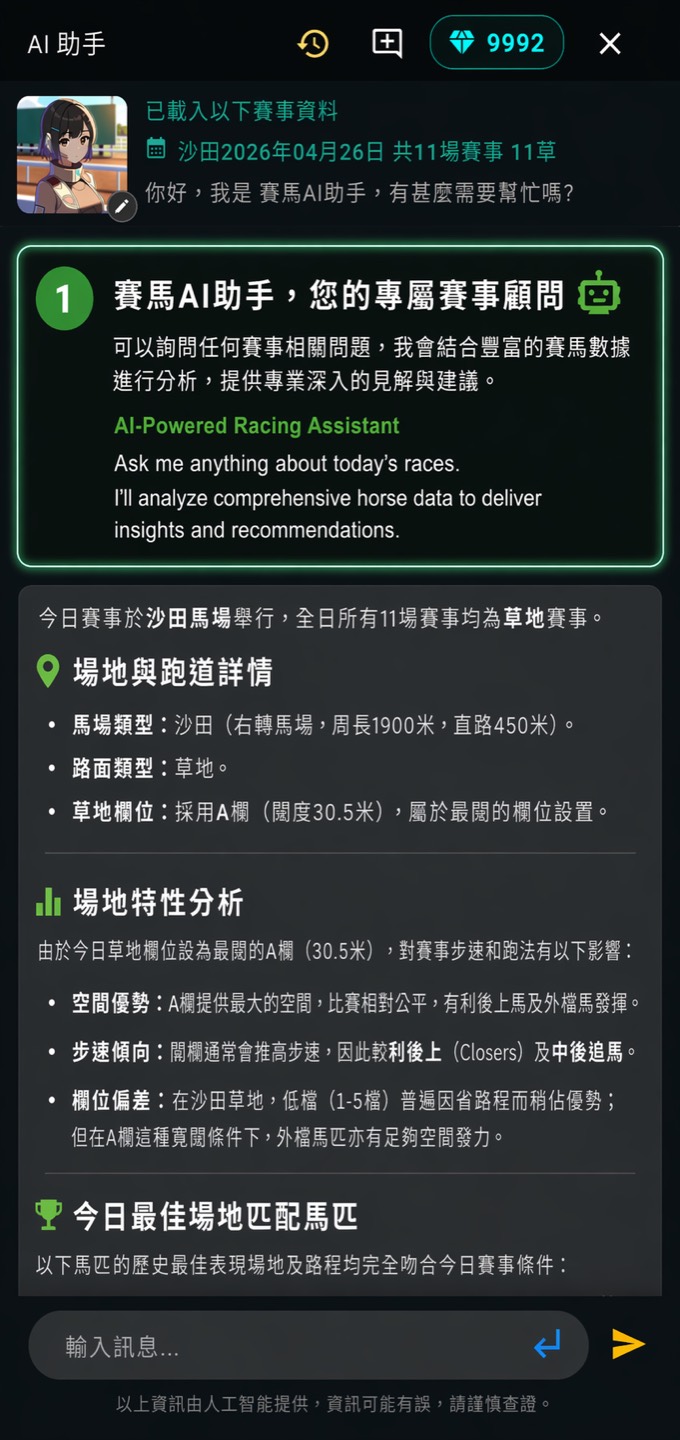
Large language model powered conversational system

Large Language Model Powered Conversational System

Race conditions and horse strengths at a glance. Demeter turns complex racing data into answers you can read immediately.

Ask naturally
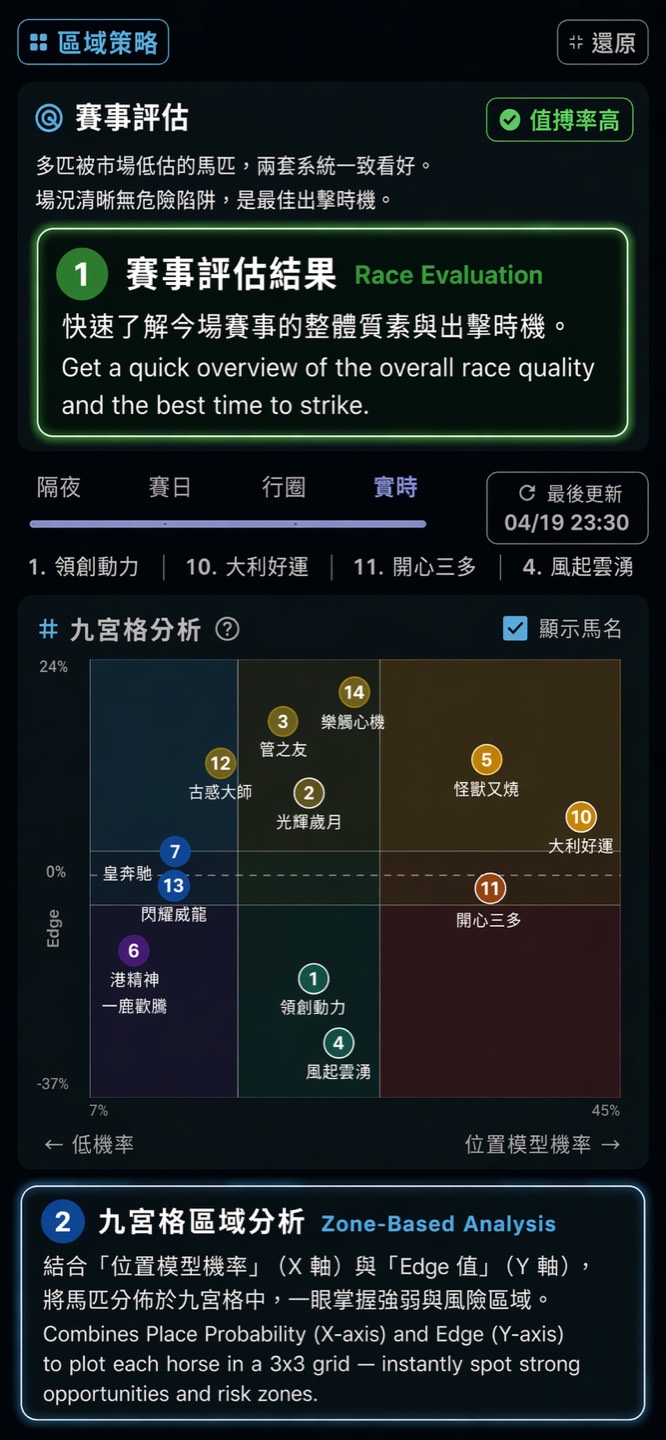
Hybrid big data models

Hybrid Big Data Models

Quadrant classification helps surface value horses in one chart, instead of forcing you to compare scattered figures manually.

Find value faster
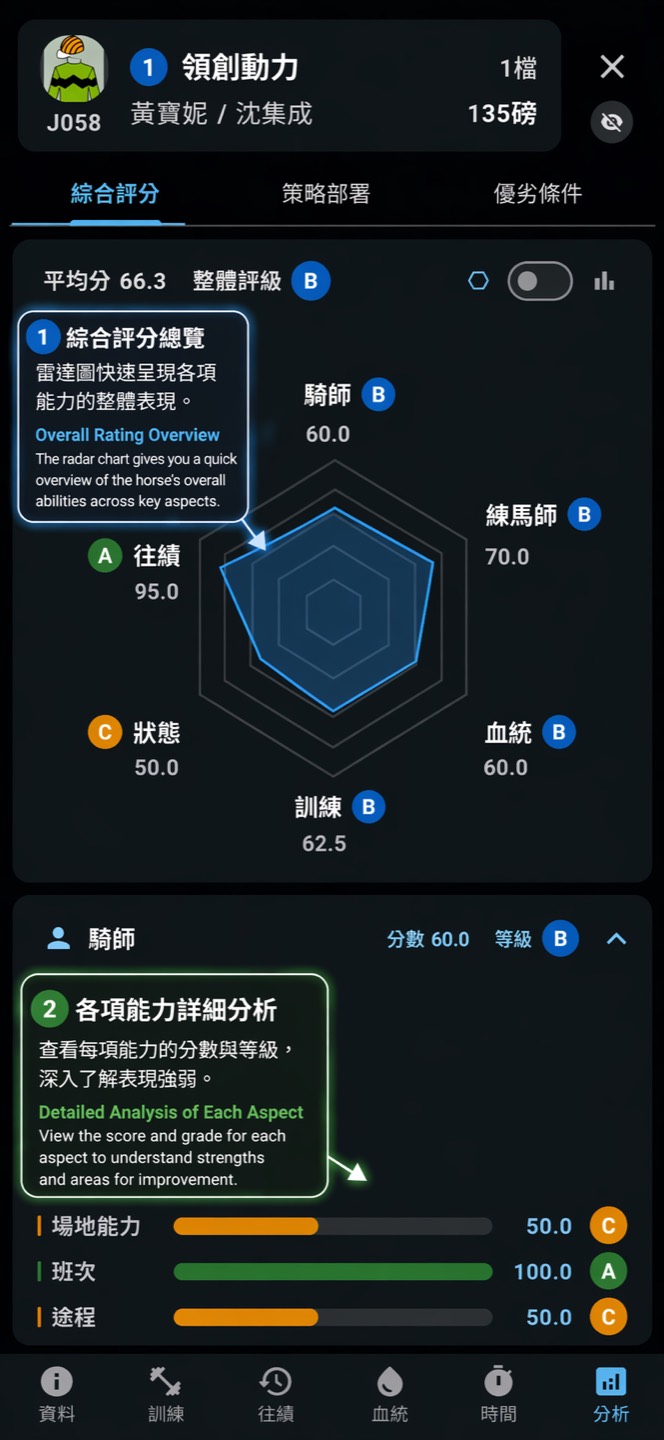
360 degree race analysis

360-degree Race Analysis

Analyze races from points, lines, and areas. The app combines micro signals and wider race structure for a fuller read.

Read the whole shape

What the app helps you do

Demeter is designed to move quickly between raw race information, AI-assisted interpretation, and saved personal notes.

Talk to the data Ask direct questions about upcoming races, horses, pace setup, trainers, or likely value positions without digging through tables first.
Compare runners with model context Move beyond a single stat line by pairing model output with practical race context and readable summaries.
Keep a shared notebook The web notebook view lets users open saved race-day notes and custom tagging from a shared link.
1. Read the race Start from race cards, runner information, and broader conditions.
2. Ask the assistant Use conversational prompts to narrow the field or explain the setup.
3. Save your angle Keep follow-ups, notes, tags, and personal race-day context in one place.
3 intro features reused directly from the in-app onboarding flow
AI conversation-first workflow for race-day questions and interpretation
360 multi-angle race reading instead of a one-number summary
Web shared notebook page for opening saved user notes from a link

Open the shared user notebook, or start from the product overview.

Root visits now see a feature landing page. Shared links with a user identifier still route to the notebook automatically, so existing flows remain intact.